
2026
Nexus Sandbox
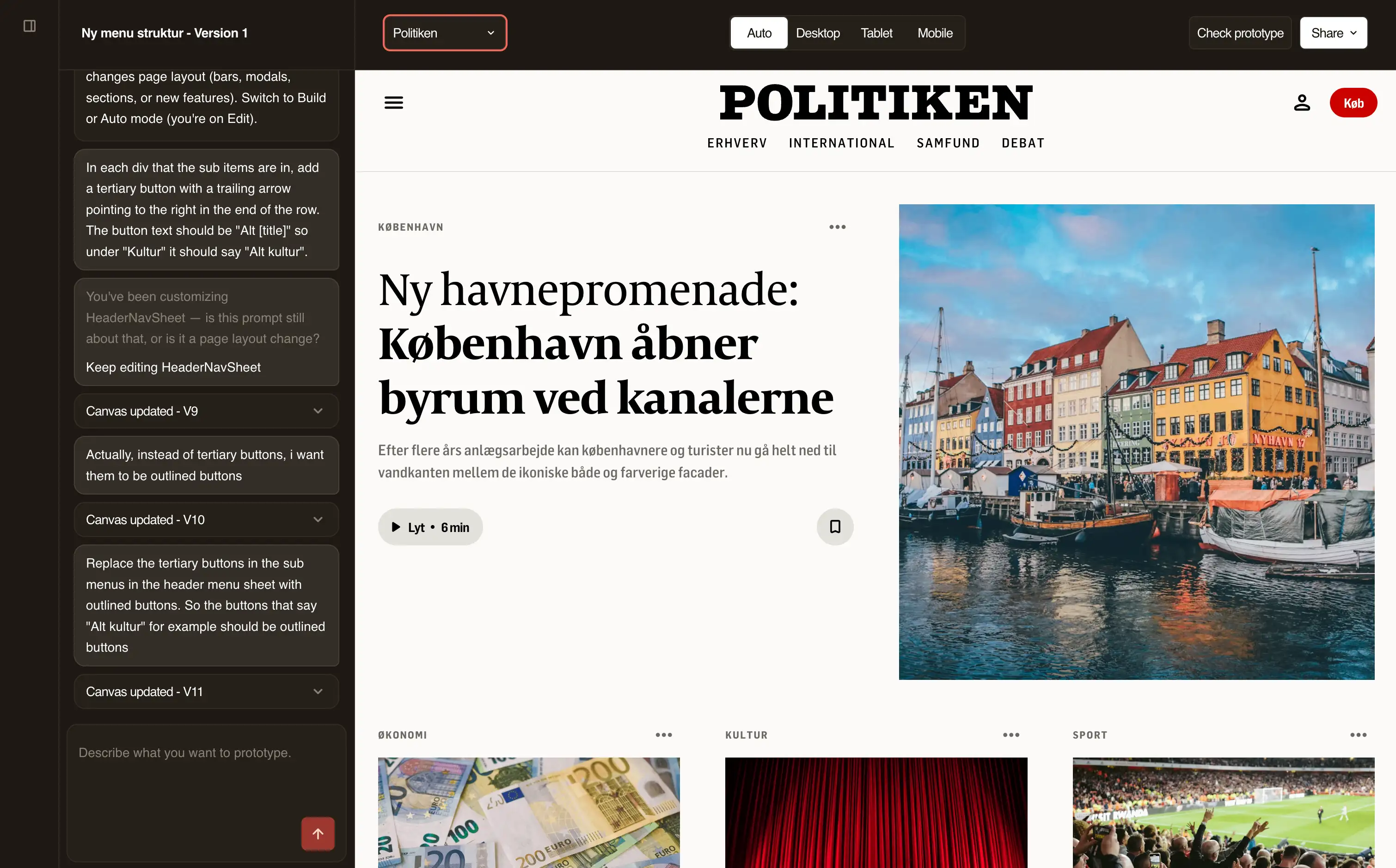
I built a tool that turns a sentence into a clickable news page in any of JP/Politikens brands. I designed it and built it with Cursor as my developer and Claude as my product manager.
Context
Company: JP/Politikens Hus
Product: Nexus, the shared frontend for Jyllands-Posten, Politiken and Ekstra Bladet. Sandbox sits beside it and does not replace it. It is a place to test ideas in the same kind of shell.
My role: Designer, product owner and sole builder
Static Figma prototypes hid problems until development started
I prototyped in Figma. Three things kept going wrong:
Figma cannot show how animation and interaction feel.
Every step from Figma spec to production brought surprises. We found them after development began.
Each brand needed its own frames. Stakeholders and developers received files. They could not tap anything.
My hypothesis: If the prototype is real code in the real news shell, I can feel interactions, catch spec surprises early, switch brands with one control and send anyone a link.
Start from a template that already looks like our product
Every prototype starts as a frontpage, an article or a blank canvas. The blank canvas gives the AI more creative freedom. I will add templates over time, such as a sign-up flow.

After I pick a template, I type what I want in the chat and the canvas updates. I built in the phone and desktop views from the start, because I check every idea at both sizes. The top bar switches between them at any time.

Decision 1: Prompting changed the page when I meant the shared component
Early on, "change the menu" rearranged the page and left the menu alone. Width, padding and image radius live inside shared components, and the AI could not reach them. Nothing I typed moved the preview.
I tried three fixes.
Modes. Auto, Build and Edit told the AI whether I meant the page or the component. It was easy to pick the wrong one. I think in "this teaser", "all teasers" and "the whole page". I do not think in code paths.
Plan, then execute. The AI writes a plan first. I removed the mode choice.
One edit path. Page edits and component edits now run together. Before the AI guesses, the tool matches "mobile teaser image" to a named part of the teaser.
Every AI reply follows the same structure: my prompt as the AI understood it, its reasoning, and the outcome. I see whether it understood which thing I meant before I look at the preview. Each reply also shows its cost in credits and US dollars, and a button restores any earlier version.

This is the problem I still return to most.
Decision 2: The AI builds from shared components, so the design system gets tested
Left alone, the AI invents a slightly different card on every prompt. So it builds from a catalog of the same components we use in Nexus. It writes custom markup only for gaps.
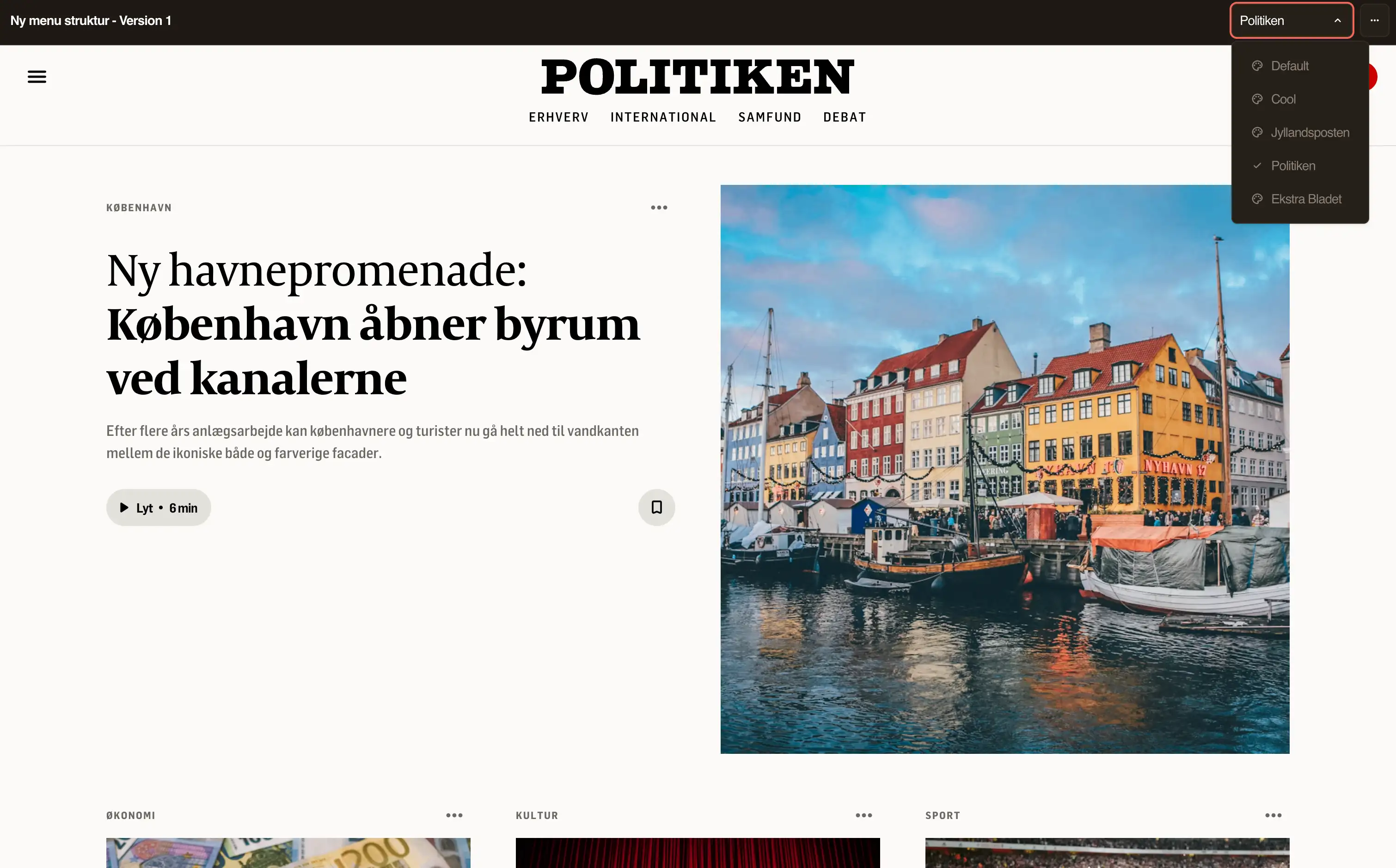
The component library lists every component by name. I see what the AI builds from, and other designers see what they can ask for. A brand picker shows each component in Jyllandsposten and in Politiken.
Each component takes its colours and type from brand tokens, so the brand picker restyles all of them at once. I use it to see how a component looks in each brand. Here are the buttons in two brands.
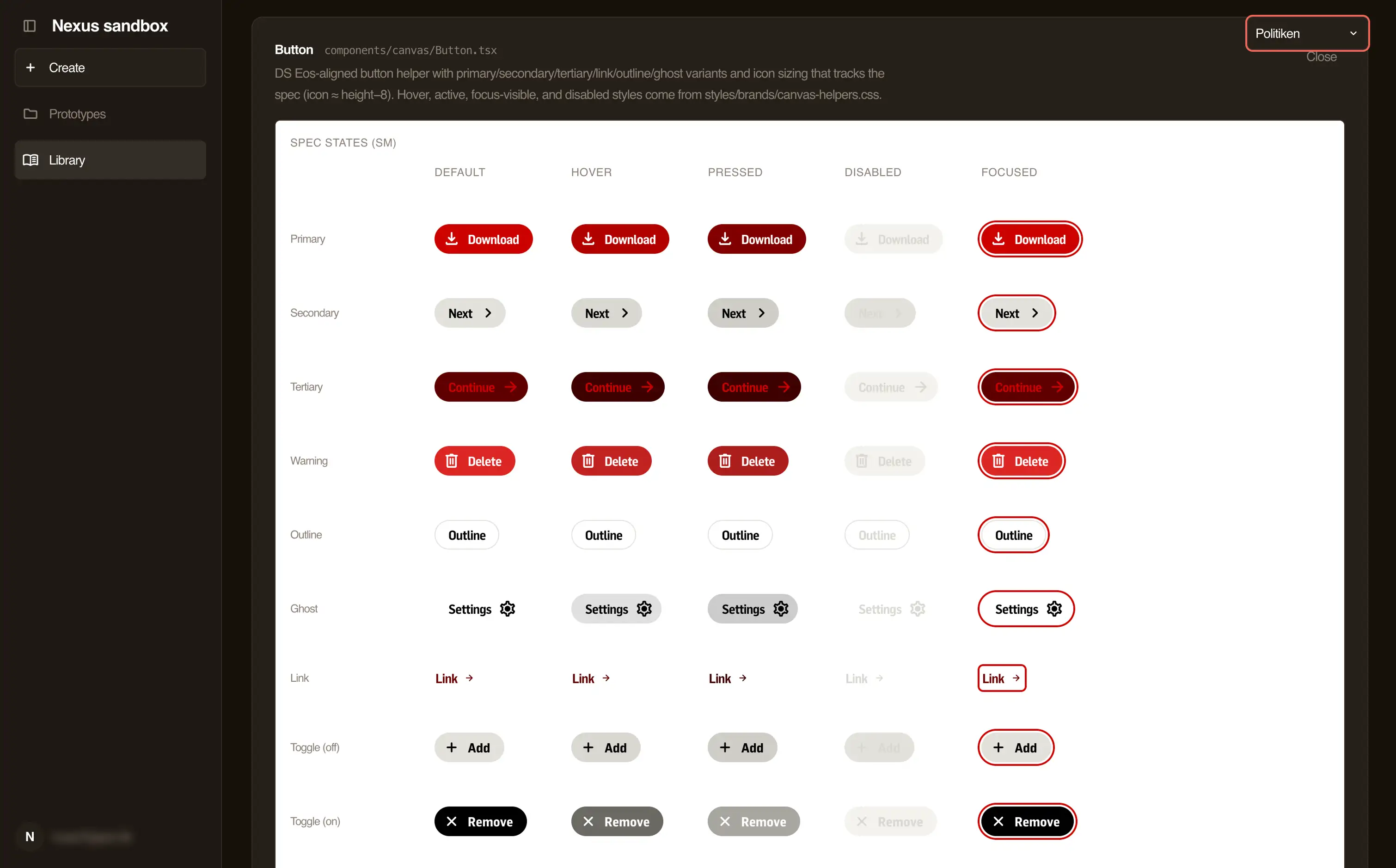
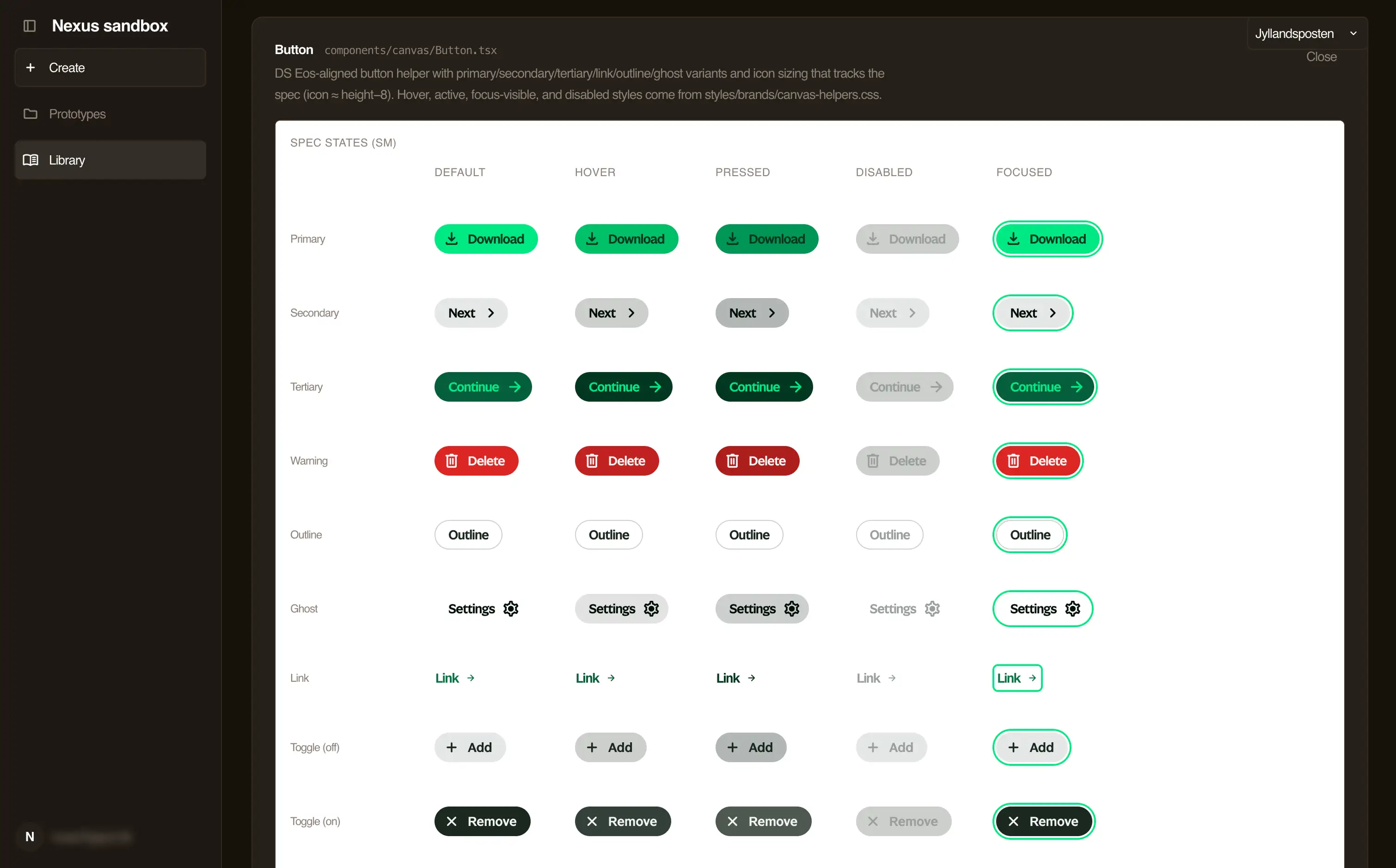
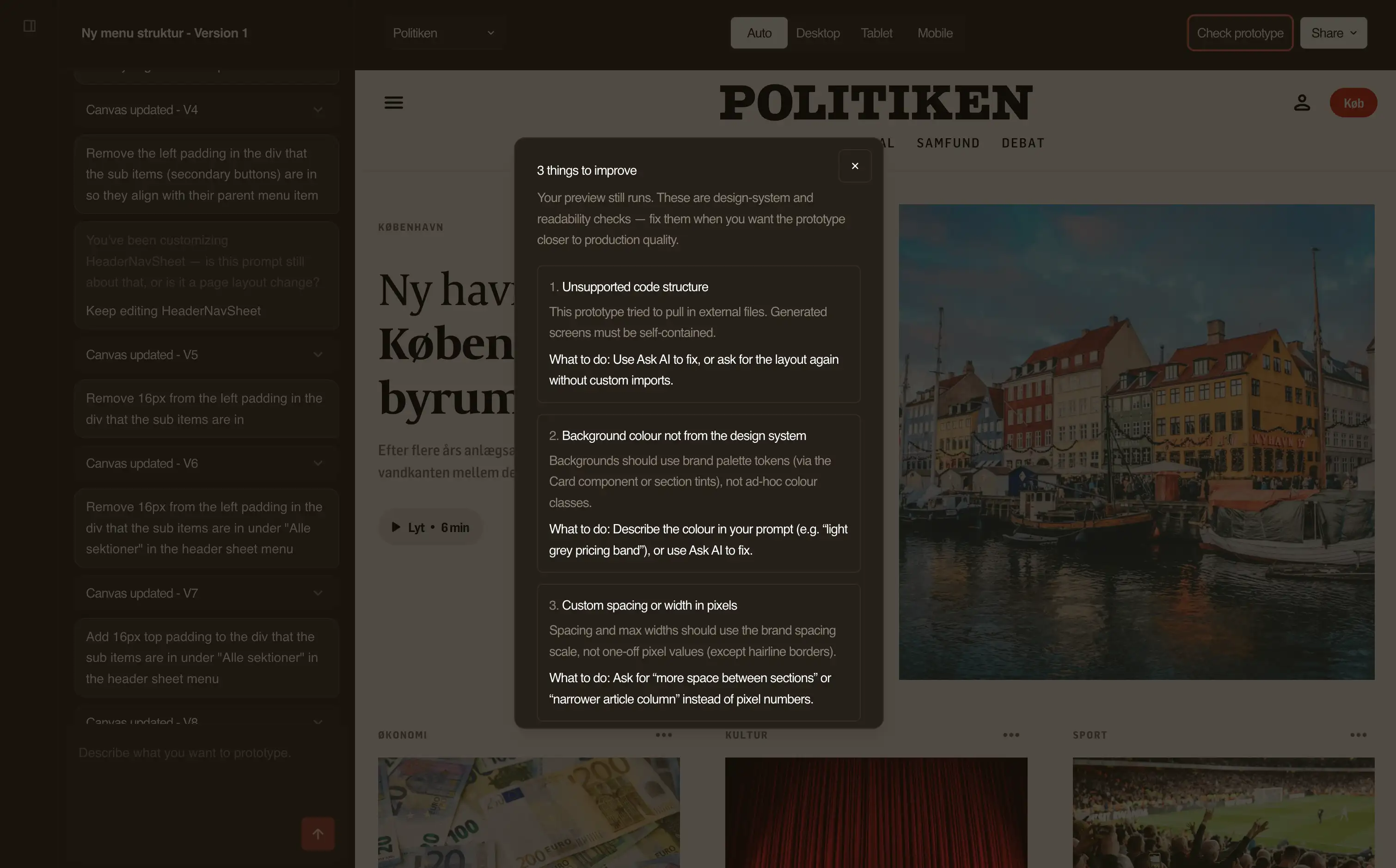
The AI still breaks rules. It invents pixel widths, picks weak contrast and puts dark text on dark bands. The Check prototype overlay lists each broken rule and how to fix it. One button sends the fix to the AI.
Decision 3: The AI and the browser disagreed on which colours existed
I renamed a colour in the CSS and forgot to update the AI's instructions. The AI kept using the old name. The page generated without errors and looked broken.
Now one token list produces the CSS, the AI's instructions and a check that rejects unknown tokens. Adding a brand means adding a token set. Nobody forks a component.
Where it stands
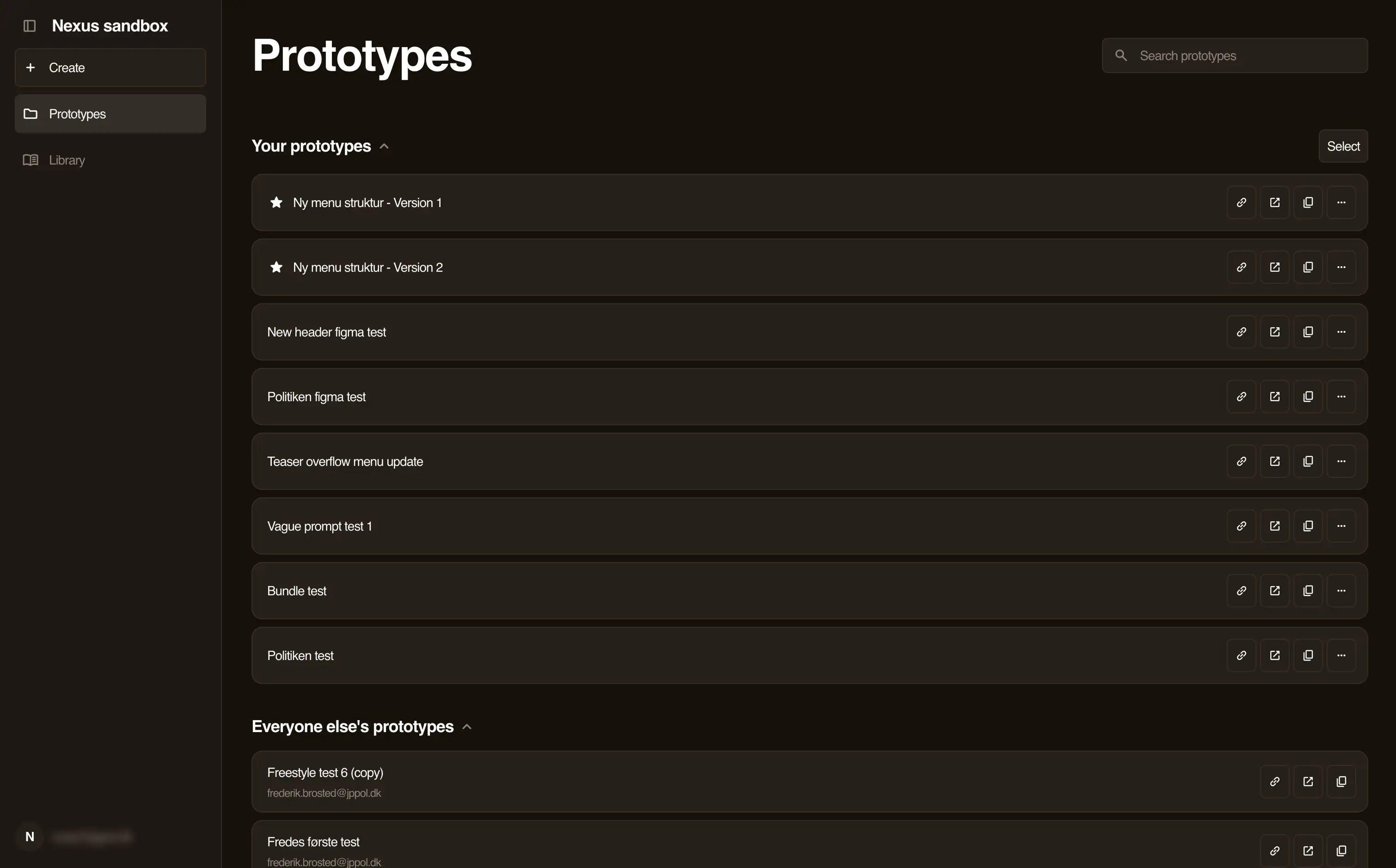
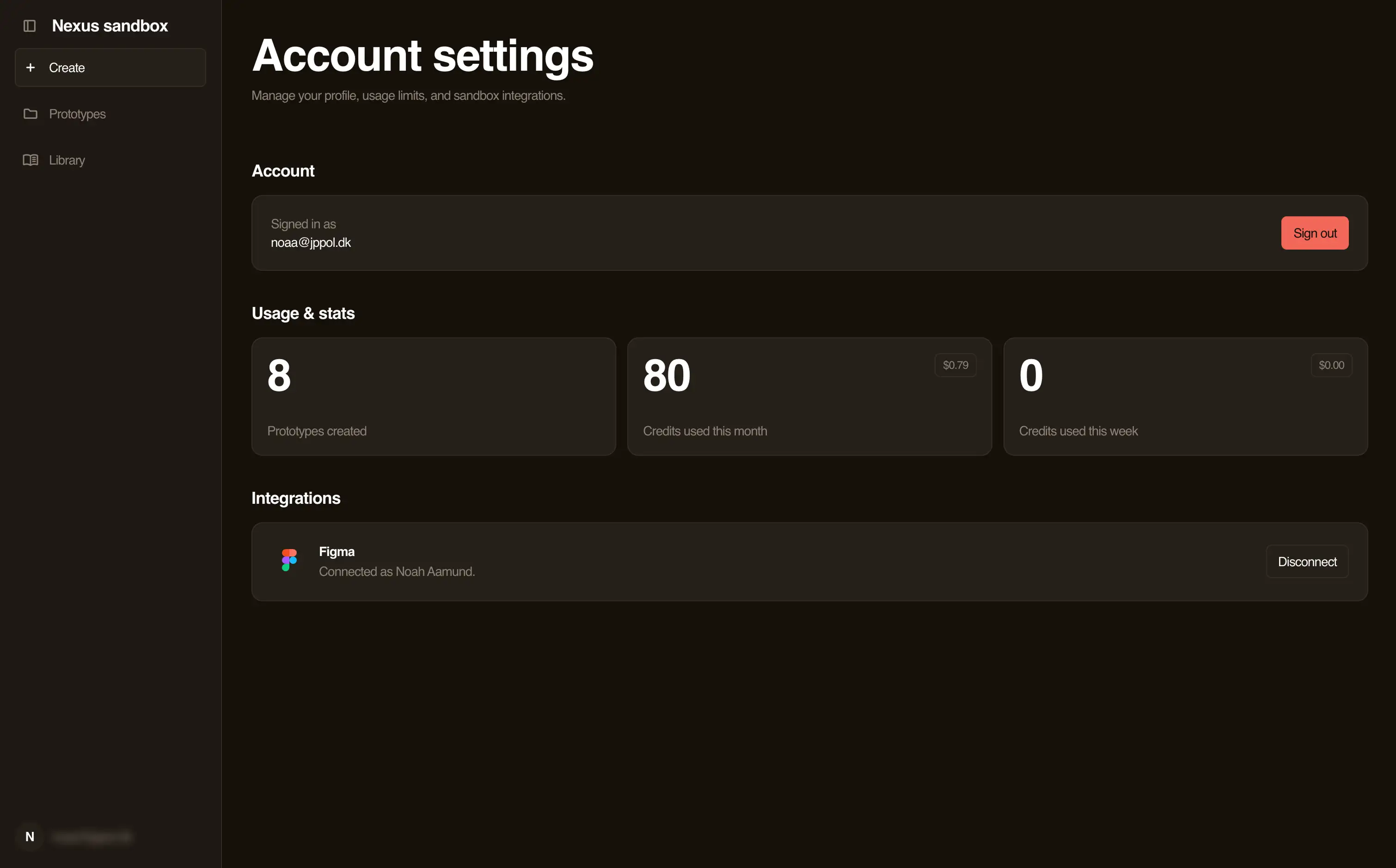
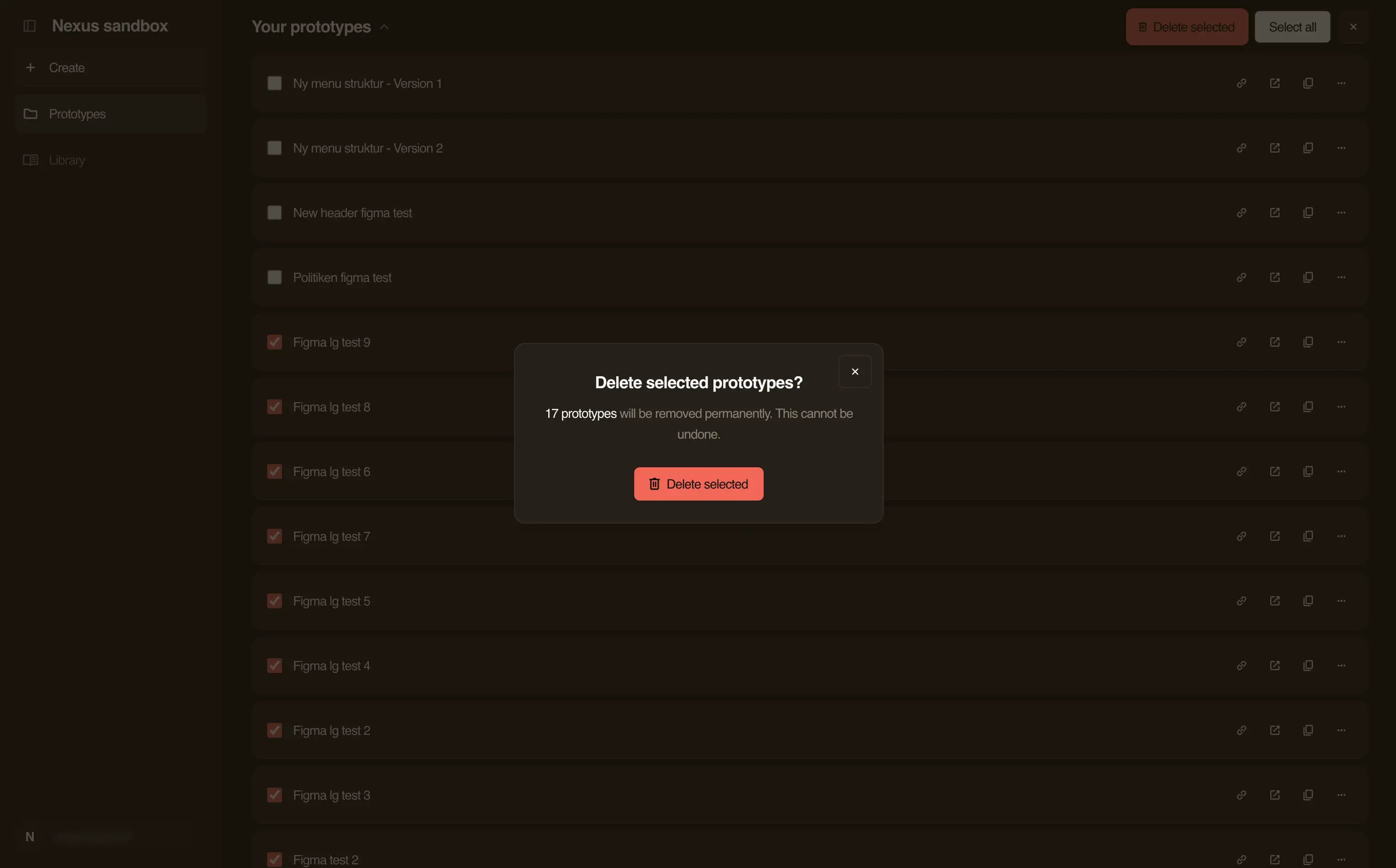
Nexus Sandbox is live inside the company. It has sign-in with a company email, saved prototypes, a component library, share links and Figma import.
Today I am the only user. We are refactoring large parts of Nexus, and I want the platform to settle before I invite others. The tool does what I built it for. I test ideas as working pages and send stakeholders a link. They open it on their phone or in a browser tab.




" height="58px" id="wdCzpTzdC" width="6.814159292035413px"/><path d="M 53.378 6.329 L 53.378 0 L 0 0 L 0 6.329 Z" fill="rgb(255, 255, 255)" height="6.329159212880143px" id="AseBph6a8" transform="translate(4.956 36.937)" width="53.377581120943944px"/><path d="M 0 2.292 L 6.192 0 L 27.258 56.089 L 20.082 56.089 Z" fill="rgb(255, 255, 255)" height="56.089320214669044px" id="mu_anQsXZ" transform="translate(8.001 1.911)" width="27.25754572271387px"/><path d="M 0 0 L 6.659 0 L 7.382 1.919 L 1.239 4.254 L 0 4.254 Z" fill="rgb(255, 255, 255)" height="4.254025044722724px" id="OkG9VzTpO" transform="translate(6.814 0)" width="7.382005899705021px"/><path d="M 6.814 0 L 0 0 L 0 58 L 6.814 58 Z" fill="rgb(255, 255, 255)" height="58px" id="IvxW5_xVS" transform="translate(34.69 0)" width="6.814159292035413px"/><path d="M 0 2.292 L 6.192 0 L 27.258 56.089 L 20.082 56.089 Z" fill="rgb(255, 255, 255)" height="56.089320214669044px" id="QRxagwDYp" transform="translate(42.691 1.911)" width="27.257566371681406px"/><path d="M 0 0 L 6.659 0 L 7.382 1.919 L 1.239 4.254 L 0 4.254 Z" fill="rgb(255, 255, 255)" height="4.254025044722724px" id="HusqXA5tH" transform="translate(41.505 0)" width="7.382005899705007px"/><path d="M 2.478 0 L 0 0 L 0 3.009 L 2.478 3.009 Z" fill="rgb(255, 255, 255)" height="3.008944543828264px" id="kBD5m7_uh" transform="translate(33.142 53.642)" width="2.4778761061946852px"/></svg>)